How ProfitMaps AI works, step by step
The workflow is simple: scan a business, send it one clear picture, and let the owner ask for the fix. The app handles the scanning and reporting. You choose the clients, set the price and check the work.
Affiliate link · opens the official checkout on JVZoo
Scan a business
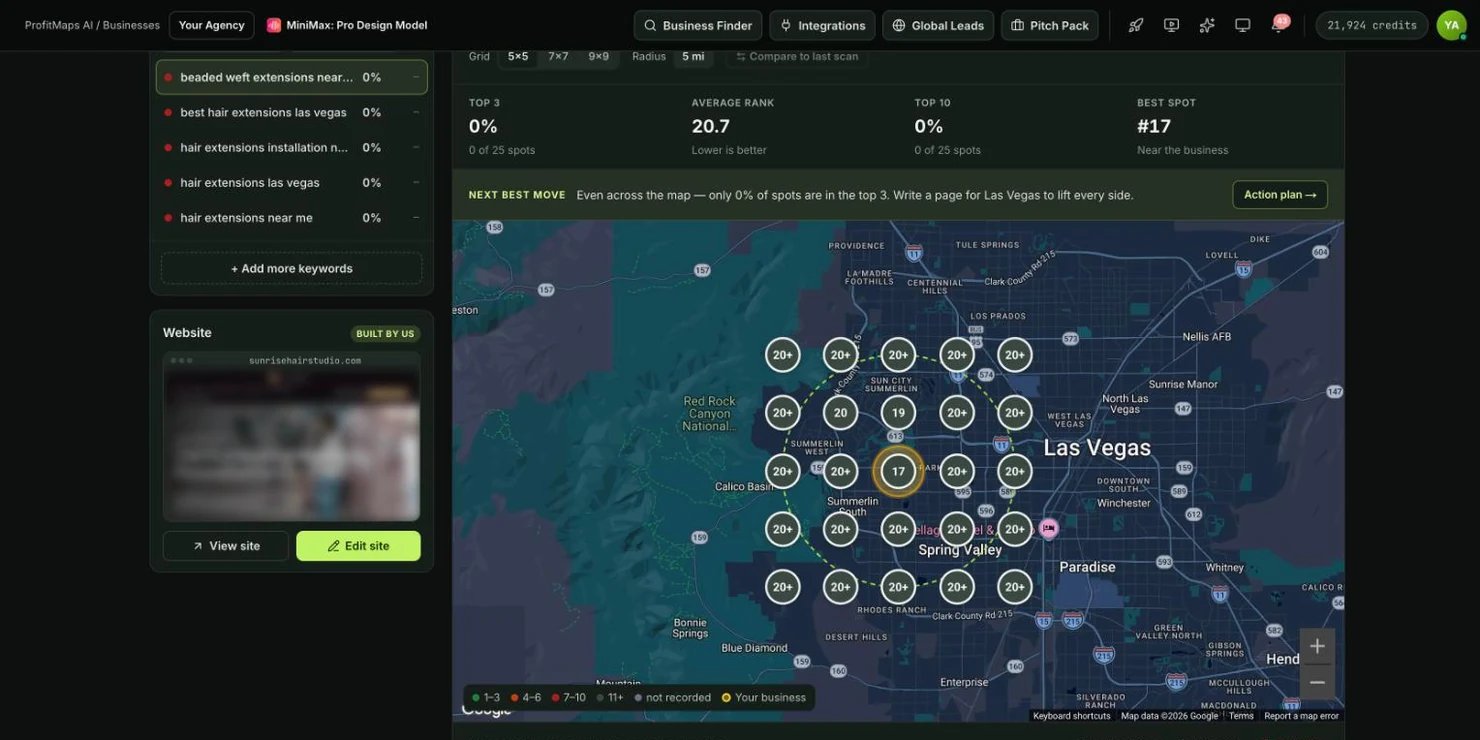
Enter a local business and a keyword its customers search, such as "emergency plumber". The scanner checks Google Maps results from a grid of points across the area: 5×5 by default, or up to 9×9 on higher plans.
The seller says a scan takes a few minutes. You don't need the owner's permission or log-in to run it, because the scan reads public search results.
Send one picture
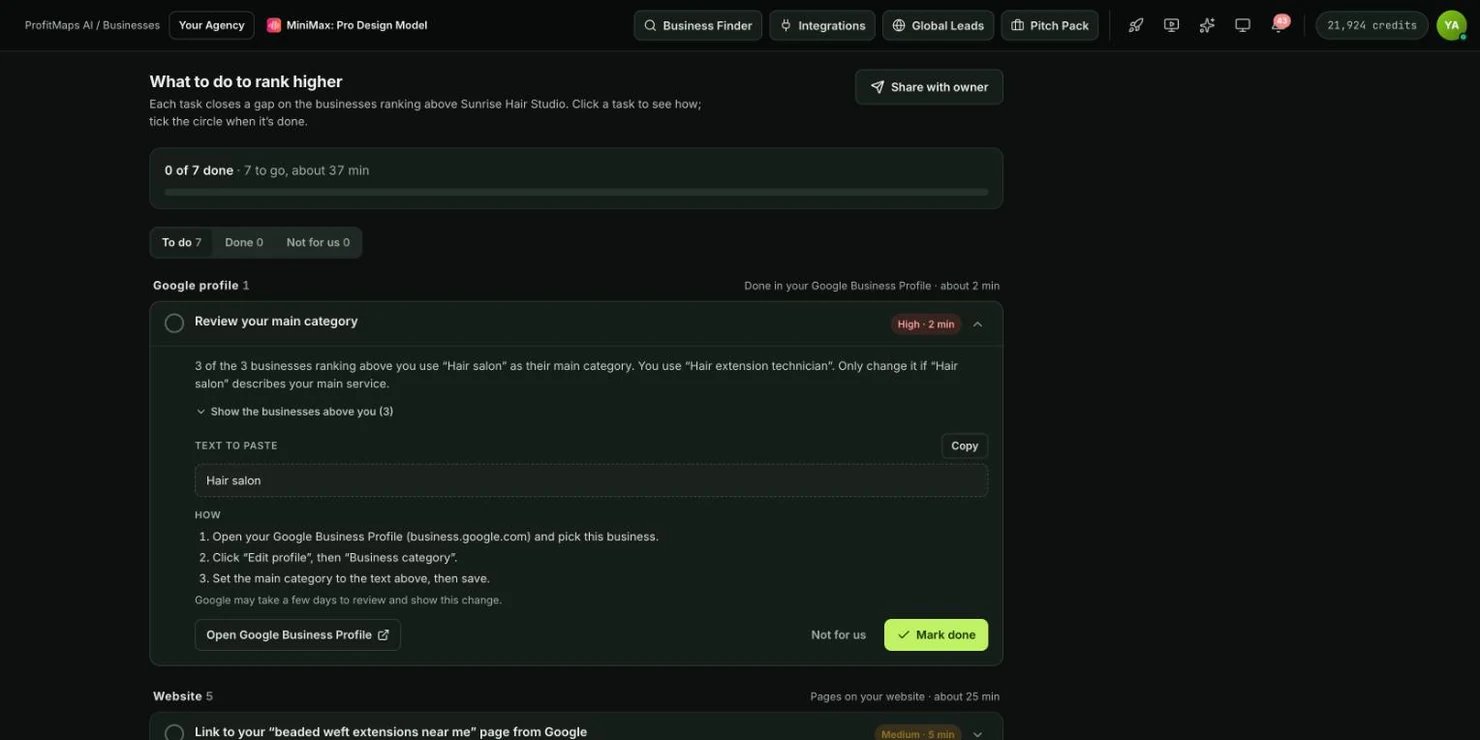
Every scan becomes a report: the ranking grid, the competitors that show up ahead, and an AI action plan of tasks with numbered steps. Share it as a link with your name and logo. Gold and Platinum add full white label.
Read the action plan before you send it. You know the business, and the AI doesn't.
Let them ask for the fix
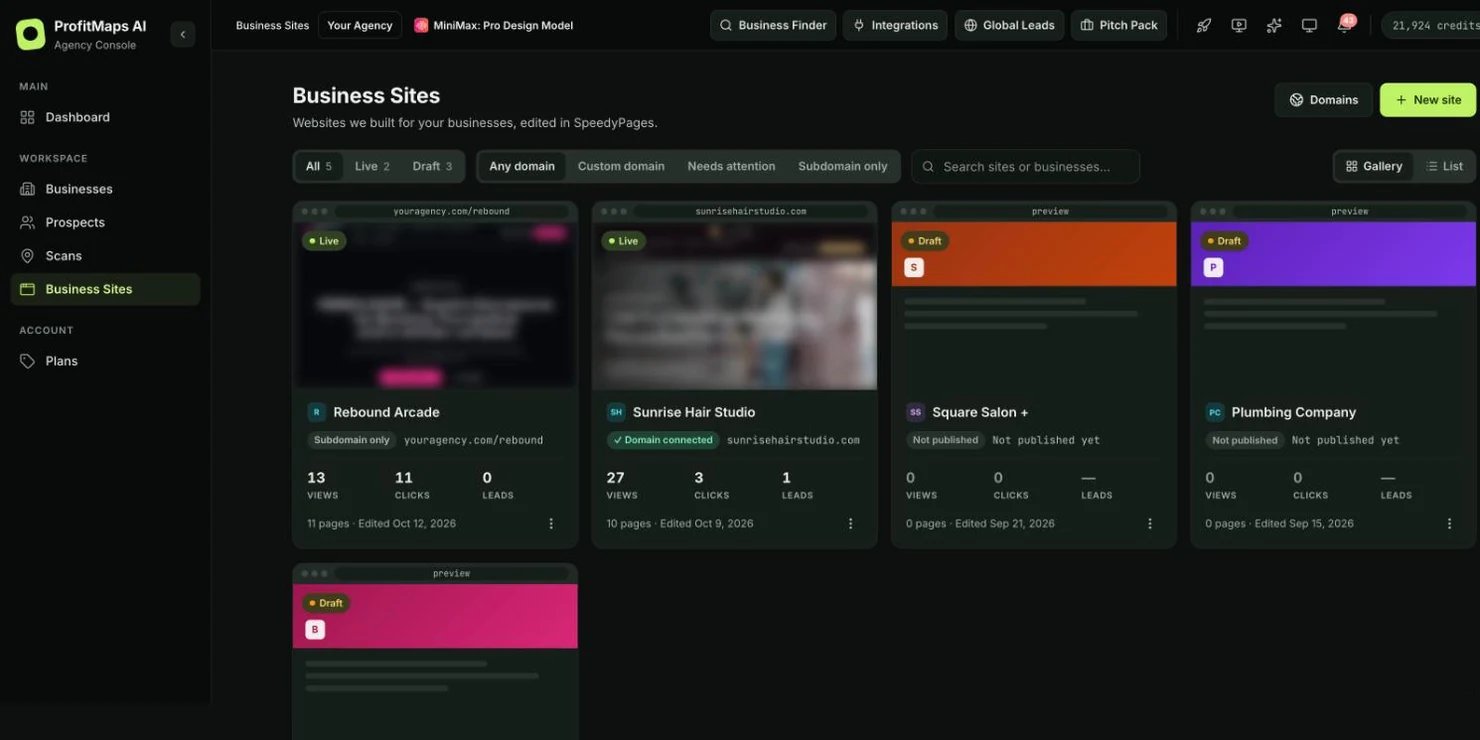
If the owner wants help, you agree the scope and the price. The app's website builder, Google Business Profile post writer and local article writer give you drafts to work from. Re-run the scan later to see whether the grid has changed.
The tool's job and your job
ProfitMaps AI handles
- Running the grid scan
- Finding the competitors
- Writing the report and action plan in plain English
- Drafting websites, posts and local articles
- Tracking rankings over time
You handle
- Choosing which businesses to approach
- Sending the report link
- Setting your price and scope
- Checking AI-written content before it goes live
- Doing the work, and keeping promises realistic
A sensible weekly workflow
The app doesn't need daily attention. Here's a steady rhythm for using it alongside client work.
Monday: prospect
Pick a niche and town. On Gold and Platinum, use Business Finder to build a shortlist.
Tuesday: scan
Scan the shortlist and read each action plan before sharing it.
Midweek: outreach
Send the reports with a short, honest note. On Gold, use the Pitch Pack follow-ups.
Friday: deliver
Do client work, publish checked content, and set up recurring scans.
What uses credits, and what doesn't
- Use credits: map scans and Business Finder searches
- Don't use credits: websites and AI writing, up to your plan's limits
- Starter credits never expire
- Credit top-ups are sold in the app, starting at $10
Explore each part of the workflow
Each part of the workflow has its own focus-area page covering what it does and which plan includes it.
Browse the focus areasReady to run your first map scan?
Pick a plan on the official checkout, scan a business you already know, and see what the report shows.
- Map scans with competitor view and an AI action plan
- Reports and share links with your name and logo
- AI website builder and local content writer
- 30-day money-back guarantee from the seller